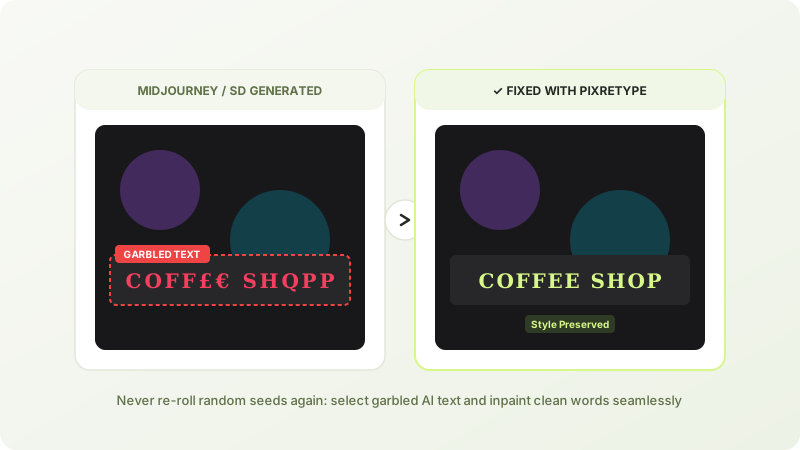
Generated a magnificent image in Midjourney or Stable Diffusion, only to find the storefront sign or book title contains alien gibberish? Here is how to fix AI text errors without re-rolling seeds and wasting GPU credits.
Why Generative AI Models Struggle with Spelling
Even the latest diffusion models frequently struggle with complex text. They treat words as visual patterns and token clusters rather than sequential spelling rules, resulting in merged glyphs, inverted letters, or alien symbols.
Re-rolling your prompt 20 times burns precious GPU hours and almost always changes the character composition or background you loved. Targeted inpainting with PixRetype's AI text fixer lets you keep the masterpiece and fix only the lettering.
4 Steps to Repair AI Generated Typo Errors
- Upload your artwork: Save the output from Midjourney, Flux, or Stable Diffusion, then upload it into the AI image text repair tool.
- Select the garbled area: Click on the distorted text box. The OCR engine identifies the boundary even for artistic or neon-lit letters.
- Type the correct copy: Enter the intended English or multilingual phrase.
- Generate: The neural inpainter repaints the lettering, mimicking the surrounding lighting, reflections, and brush textures.
Frequently Asked Questions
Will fixing text alter faces or background scenery in my AI art?
No! Only the selected text region is submitted to the inpainting model. Faces, hands, lighting, and composition outside the selection remain bit-for-bit identical.
What if the AI lettering is rendered in 3D or neon glow?
PixRetype reads the depth, perspective, and specular highlights of the surrounding art to render text that sits naturally in the 3D scene. Try our same font style tool to learn more.
Edit Text in Your Images Without Photoshop
Fast deep-learning OCR, automated font-weight matching, and seamless inpainting.